
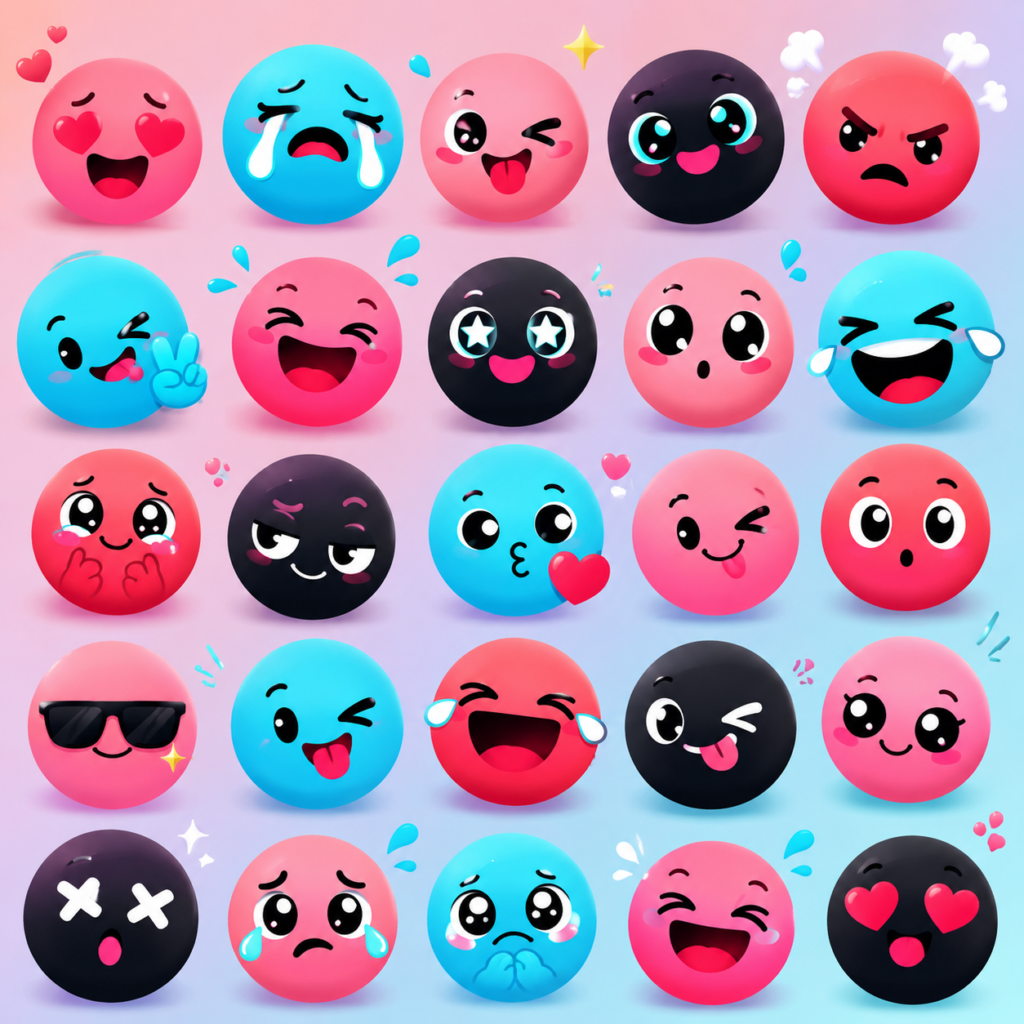
If you’ve spent more than five minutes scrolling through a comment section on the app, you’ve probably noticed something strange. Mixed in with the usual 😂 and ❤️ symbols, there are these oddly specific little cartoon faces — a blue one mid-sob, a pink one smirking, a red one that looks like it’s about to throw hands. Those aren’t glitches, and your phone isn’t broken. They’re TikTok emojis, and once you know what they are, you’ll start seeing them everywhere.
Here’s the short version: TikTok emojis are custom, platform-exclusive icons that appear in two forms. The first is the standard Unicode library — the same thumbs-ups and skulls you’d find on Instagram or in a text message. The second, and the more interesting one, is a hidden set of roughly 46 custom graphics built directly into TikTok’s code. You can’t tap them from a normal keyboard. You unlock them by typing a specific word inside square brackets, like [smile] or [cry], directly into a comment, caption, or DM.
That second category is what most people actually mean when they search for this topic, and it’s where this guide will spend most of its time.
Quick Answer Box
TikTok emojis are custom graphics exclusive to the TikTok app. Standard ones work like normal emojis on any keyboard. Hidden ones are unlocked by typing a bracketed code — for example,
[joy],[shock], or[wronged]— inside a comment or caption. TikTok automatically converts the code into a small animated-style face once you post.
Why does this matter beyond curiosity? Because emojis on TikTok aren’t decoration — they’re shorthand. A single hidden emoji can carry more tone than a full sentence, and knowing how to drop the right one at the right moment is genuinely part of the platform’s culture. It signals you’re not new here.
Hidden TikTok Emojis: The Secret Code System
Most platforms give you one emoji library and call it a day. TikTok decided that wasn’t enough, so somewhere in the app’s early development, its engineers built a second, invisible layer of emojis that only render inside the app itself.
Here’s how the system actually works under the hood, in plain terms:
- You type a keyword inside square brackets — no spaces, no punctuation inside the brackets.
- TikTok’s text parser scans your comment or caption before it posts.
- If the word matches one of its recognized codes, it swaps the bracketed text for a small custom graphic.
- If the word doesn’t match anything, your bracketed text just stays as plain text.
That’s genuinely it. There’s no settings toggle, no special keyboard to download, and no premium feature gate. It’s a free, built-in Easter egg that a huge chunk of the platform still doesn’t know exists — which is exactly why people call them “secret” or “hidden” TikTok emojis.
A few ground rules worth knowing before you start typing codes everywhere:
- They’re case-insensitive.
[Smile],[SMILE], and[smile]all render the same emoji. - They only work inside the TikTok app. Paste
[cry]into an Instagram DM or an X post and you’ll just get the literal text. - They render in comments, captions, and direct messages — but not in usernames or bio fields.
- They require standard square brackets. Curly braces or parentheses won’t trigger anything.
- The list isn’t officially published by TikTok. Everything the internet knows about the hidden emoji codes comes from community testing, which is also why lists occasionally disagree with each other on the exact count.
How to Use TikTok Emojis (Step by Step)
Using standard TikTok emojis is exactly what you’d expect — tap the emoji icon in the caption or comment field and pick one, just like on any other app. The hidden emojis are where a little instruction actually helps.
Numbered Steps to Unlock a Hidden Emoji
- Open the TikTok app and go to any video.
- Tap the comment field, caption box, or a DM thread.
- Type a code in square brackets — for example,
[happy]. - Add any other text you want around it.
- Tap Post or Send.
- Watch the bracketed text transform into a small custom graphic.
That transformation happens after you post, not while you’re typing — so don’t panic if your comment still shows [happy] as raw text in the input box. It converts once it’s actually published.
A Quick Comparison Table
| Feature | Standard Emoji | Hidden TikTok Emoji |
|---|---|---|
| Access method | Tap emoji keyboard | Type code in brackets |
| Works outside TikTok | Yes | No |
| Appears in usernames/bio | Yes | No |
| Visual consistency across devices | Varies by OS | Identical everywhere |
| Case sensitive | N/A | No |
| Approximate count | 3,700+ | ~46 |
That last row is worth pausing on. Because the hidden emojis are rendered by TikTok’s own servers rather than your phone’s operating system, they look identical whether you’re on an iPhone, a budget Android device, or the desktop site. Standard emojis, by contrast, can look noticeably different depending on whether the sender is using iOS, Android, or a Facebook-owned app.
The Complete TikTok Emoji Code List
Because TikTok has never published an official master list, every code list you find online — including this one — is compiled from community testing rather than a company announcement. What follows is a reliable, regularly-verified set of the codes people actually use.
Popular TikTok Emoji Codes and Meanings
| Code | What It Looks Like | Common Meaning |
|---|---|---|
[smile] | Gentle closed-mouth grin | Polite agreement or warmth |
[happy] | Wide open-mouth grin | Genuine excitement |
[joyful] | Bright beaming face | Big, unfiltered happiness |
[laughwithtears] | Face crying from laughing | “This is hilarious” |
[cry] | Face with a single tear | Sadness, sometimes sarcastic |
[weep] | Full-on sobbing face | Overwhelmed emotion, good or bad |
[angry] | Furrowed brow, red tint | Frustration or mock anger |
[rage] | Intense scowling face | Exaggerated fury, often a joke |
[wronged] | Wide, glassy puppy-dog eyes | Playful guilt-tripping or “please” |
[shout] | Open-mouth yelling face | Excitement or emphasis |
[scream] | Wide-eyed horrified face | Shock or fear, often comedic |
[surprised] | Raised brows, open mouth | Genuine “wait, what?” |
[astonish] | Jaw-dropped face | Bigger shock than “surprised” |
[flushed] | Pink-cheeked, wide-eyed face | Embarrassment |
[embarrassed] | Sheepish half-smile | Awkwardness |
[speechless] | Flat, wide-eyed stare | “I have no words” |
[thinking] | Face with a hand on chin | Skepticism or consideration |
[smug] | Sly closed-eye smile | “I told you so” energy |
[wicked] | Mischievous grin | Playful troublemaking |
[sulk] | Pouting face | Mild annoyance |
[greedy] | Wide-eyed, mouth open | Wanting something badly |
[yummy] | Tongue-out satisfied face | Food or approval |
[drool] | Dripping mouth | Strong desire, often about food or a crush |
[cute] | Small, sweet smiling face | Affection |
[lovely] | Heart-eyed style face | Admiration |
[blink] | Winking face | Flirtation or a private joke |
[complacent] | Satisfied closed-eye smile | Contentment |
[proud] | Chin-up confident face | Accomplishment |
[tease] | Tongue-out playful face | Light mockery |
[hehe] | Sly grin | Sneaky amusement |
[stun] | Frozen wide-eyed face | Being caught off guard |
[disdain] | Side-eyeing face | Disapproval |
[slap] | Hand mid-swing | Mock violence, usually a joke |
[nap] | Sleepy closed-eye face | Tiredness |
[clown] | Clown-nosed face | Self-deprecating humor |
[tap] | Finger tapping gesture | Calling attention to something |
[shock] | Bulging-eye startled face | Sudden surprise |
That’s a working sample of the roughly four dozen codes the community has documented. New ones occasionally surface after an app update, and TikTok has never confirmed a fixed, final number — so treat any list, including this one, as a living document rather than gospel.
A Note on Accuracy
If a code in this table doesn’t render for you, double-check three things first: that you’re using square brackets (not parentheses), that there are no extra spaces inside the brackets, and that your app is updated to a recent version. Occasionally a code gets retired or renamed in an update, which is the most common reason a previously working code stops working.
What TikTok Emojis Actually Mean
Beyond the official hidden codes, TikTok’s comment culture has also assigned unofficial meanings to a handful of standard Unicode emojis — and these are arguably more important to understand, because they show up constantly and mean something very different from their literal definition.
- 💀 Skull — Doesn’t mean death. It means “I’m dead” from laughing, functioning as a more intense alternative to 😂.
- 🪑 Chair — Used as a placeholder with no fixed meaning, sometimes implying something suggestive, sometimes just filling space to be silly.
- ✨ Sparkles — Adds emphasis or sarcasm, similar to how someone might use italics in a sentence.
- 🧍 Person Standing — Signals awkwardness, like mimicking a bystander who doesn’t know what they just witnessed.
- 👁️👄👁️ (Eyes, Mouth, Eyes) — Means “I am watching this closely and I have thoughts.”
This is also where several of the platform’s most talked-about emoji categories come in. The pink heart emoji has become shorthand for soft, wholesome affection — it’s the go-to reaction under cute couple videos, pet clips, and anything a commenter finds genuinely sweet rather than romantic in an intense way. The broken heart emoji, on the other hand, shows up under breakup content, sad reveals, or even ironically under mildly disappointing news, like a favorite creator going on hiatus.
Animal-themed reactions have their own personality too. The cat emoji often gets used to signal something sneaky, catty, or “messy” happened in a video — think drama, side comments, or subtly shady behavior. And when a comment needs to convey judgment without saying a single word, the side eye emoji does the heavy lifting; it’s the internet’s universal symbol for skepticism.
Then there’s the workhorse of the entire platform: the laughing emoji. Whether it’s the standard 😂 or the hidden [laughwithtears] code, this is the single most-used reaction across the app because it fits almost any funny, chaotic, or relatable moment.
Popular Emoji Combinations and What They Signal
Individual emojis carry meaning, but TikTok users have also developed combinations that function almost like slang phrases. Here are some of the most common:
- 💀😭 — Something is so funny it’s borderline unbearable.
- 🥺👉👈 — Shy, bashful, or asking for something in a cute way (this pairing is closely related to the hidden
[wronged]emoji). - ✨👀✨ — Drawing extra attention to a detail worth noticing.
- 🫡 paired with
[proud]— Respect combined with genuine admiration. - 😭❤️ — Being emotionally moved in a good way, often under heartfelt or nostalgic videos.
Numbered Example: Reading a Real Comment
Take a comment like this: “the way she just [scream] and then [laughwithtears] 💀”
Here’s how a TikTok-literate reader decodes it:
[scream]signals the commenter reacted with shock at first.[laughwithtears]shows that shock immediately turned into laughter.- 💀 caps it off, confirming the whole moment was “too funny.”
Three symbols, zero full sentences, and the entire emotional arc of the reaction is communicated instantly. That’s the actual power of this system — it’s a compressed emotional language built for a platform where attention spans are short and comment sections move fast.
Best Emojis for Engagement
If you create content or manage a brand account, this section is the one worth bookmarking. Not every emoji performs equally, and some genuinely correlate with higher reply rates and more visible comments.
Emojis that tend to boost engagement:
[wronged]— Its ambiguous, puppy-eyed expression invites replies because people want to know what it “means” in context.- 💀 — Reliable, universally understood, low-risk humor signal.
[proud]— Performs especially well on achievement, glow-up, or transformation content.- The pink heart emoji — A safe, warm reaction that consistently outperforms plain “❤️” on wholesome content.
- The side eye emoji — Sparks replies because it implies the commenter has an opinion they haven’t fully stated.
Why hidden emojis specifically tend to outperform plain text: they’re visually distinct from the wall of standard Unicode symbols in a busy comment section, which makes comments using them easier to spot and more likely to get a reply from the creator or other viewers.
Practical Example for Creators
If you’re replying to your own comment section, pinning a comment that mixes a hidden emoji with a genuine reaction — something like “[proud] this made my whole week” — tends to read as more personal than a generic “thank you 🙏,” because fewer people know the codes, which makes the reply feel intentional rather than templated.
TikTok Emoji Trends Right Now
Emoji culture on TikTok moves fast, and what’s trending shifts every few months as new sounds, memes, and creators cycle through the algorithm. A few patterns have held steady, though:
- Irony-first usage. Emojis like 💀 and
[clown]are almost always used self-deprecatingly rather than literally. - Layered combinations over single symbols. A single emoji increasingly reads as low-effort; pairing two or three has become the norm for a “real” reaction.
- Hidden emojis as a trust signal. Commenters who use the bracketed codes correctly are often perceived as more embedded in TikTok culture, which can make their comments feel more credible or funnier by association.
- Niche-specific meanings. Gaming, beauty, and comedy communities on the platform have each developed slightly different unofficial meanings for the same standard emojis, so context always matters more than the symbol alone.
Mobile vs. Desktop Usage
The hidden emoji system was originally built with mobile typing in mind, but it works essentially the same way on desktop, with a few small practical differences worth knowing.
| Aspect | Mobile App | Desktop / Web |
|---|---|---|
| Typing codes | Native keyboard, autocorrect can interfere | Physical keyboard, fewer autocorrect issues |
| Emoji picker | Built-in emoji tray | Browser-dependent emoji support |
| Rendering speed | Instant after posting | Instant after posting |
| Code compatibility | Full support | Full support |
The one real snag mobile users run into is autocorrect quietly “fixing” a bracketed code before it posts — turning [wronged] into [wronged.] or capitalizing it in a way that adds a stray character. Since the codes need to match exactly (aside from case), it’s worth double-checking a comment before hitting send if your keyboard has aggressive autocorrect settings.
Common Mistakes People Make With TikTok Emojis
- Adding spaces inside the brackets.
[ smile ]won’t work — it has to be tight, with no space between the bracket and the word. - Using the wrong bracket type. Parentheses, curly braces, or angle brackets won’t trigger anything.
- Assuming codes work everywhere. They’re TikTok-exclusive; copying
[cry]into a text message just sends the literal characters. - Overloading a comment with too many codes. Comments packed with five or six bracketed emojis in a row tend to read as spam rather than genuine reaction.
- Confusing similar codes.
[smile]and[happy]look close in meaning but render as visually distinct expressions — mixing them up is the most common source of “why didn’t my emoji show up right” confusion. - Expecting a fixed, official list. Because TikTok hasn’t published a canonical source, some circulating lists include outdated or slightly inaccurate codes.
Pro Tips From Frequent Commenters
- Keep a personal shortlist. Most heavy TikTok users only regularly rely on five or six hidden codes — memorizing those beats trying to remember all 46.
- Match the emoji to the platform’s tone, not your own habits. A code that reads as sincere on a personal account can come across as ironic on comedy content, and vice versa.
- Test new codes on your own posts first. Comment on one of your own videos to confirm a code renders correctly before using it publicly elsewhere.
- Combine sparingly. One or two emojis land harder than a cluttered string of five.
- Watch top comments on viral videos. The comment section of any trending video is effectively a live index of whatever emoji combinations are currently popular.
Recent TikTok Emoji Updates
TikTok doesn’t publish formal changelogs for its hidden emoji system, so updates are typically discovered by the community after the fact — usually when a previously working code stops rendering, or a new one starts appearing in comment sections. As of 2026, the widely documented count sits at roughly 46 hidden codes, though the platform has occasionally added or quietly retired individual codes without any public announcement. If a code you’ve used before suddenly stops working, it’s more likely a retirement than a bug on your end.
Conclusion
At the end of the day, TikTok emojis are one of those small platform details that end up shaping an entire culture of communication. What starts as a curiosity — noticing a weird little face in a comment section — turns into a genuinely useful skill once you understand the bracketed code system behind it. Between the hidden emoji library, the unofficial meanings attached to symbols like the broken heart emoji or the cat emoji, and the fast-moving trends that shift what’s popular month to month, there’s a lot more going on in a TikTok comment than a first glance suggests. Whether you’re a casual scroller who just wants to understand what people mean, or a creator trying to squeeze more engagement out of every comment reply, knowing this system puts you a step ahead of anyone still typing plain text.
Frequently Asked Questions
1. What are TikTok emojis? TikTok emojis are expressive icons used on the platform, split into two types: standard Unicode emojis available on any device, and hidden custom emojis unlocked by typing bracketed codes like [smile] directly into TikTok comments, captions, or DMs.
2. How do I unlock hidden TikTok emojis? Type a recognized code inside square brackets — for example, [happy] — into a comment, caption, or message, then post it. TikTok automatically converts the code into a custom graphic once it’s published.
3. Do TikTok emoji codes work on other apps? No. The hidden codes are exclusive to TikTok. Pasting [cry] into Instagram, X, or a text message will only show the literal bracketed text.
4. Are TikTok emoji codes case-sensitive? No. [Smile], [SMILE], and [smile] all produce the identical result.
5. How many hidden TikTok emojis are there? As of 2026, community-verified lists document roughly 46 hidden emoji codes, though this number can shift slightly as TikTok updates the app.
6. Can I use hidden emojis in my username or bio? No. Hidden codes only render in comments, captions, and direct messages — they display as plain text everywhere else on the app.
7. Why isn’t my emoji code working? The most common causes are extra spaces inside the brackets, using the wrong bracket type, a typo in the code, or an outdated app version.
8. Do TikTok emojis actually help engagement? Yes, generally. Comments that use hidden emojis or well-matched standard emojis tend to stand out visually in a busy comment section and often draw more replies than plain text alone.
9. Is there an official TikTok emoji list from the company itself? No. TikTok has never published an official master list. Every list in circulation, including community-tested ones, is based on independent discovery and verification rather than a company announcement.
10. What’s the difference between standard and hidden TikTok emojis? Standard emojis are the universal Unicode set available on every platform and look slightly different depending on your device’s operating system. Hidden emojis are custom graphics exclusive to TikTok, look identical across all devices, and require typing a bracketed code to unlock.